Sri Charoen Electronics 2
An app for repairs and sales in a family electronics shop in Chiang Mai. Staff use it on their own iPhones, in Thai or English. Customers follow their repair and shop on the shop’s pages. Made with AI in 7 days.
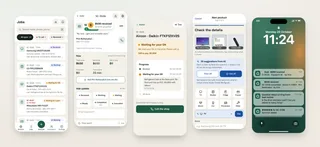
7 days
Built
80
Screens
436
Tests
What it does
For the staff, and for customers
Each repair is typed in once, and every change is a line in its log
Price, paid and due are worked out from the log
Customers get a private link showing where their repair stands
Intake slip, sticker and receipt print on 80 mm paper
A small online shop, where AI suggests product details from photos
Thai and English, with customers’ questions translated by AI
Alerts on every staff iPhone
The day’s numbers, and questions about them in plain words
Each phone belongs to one person, with a history of who did what
How it’s used
Step by step, from the app
Take in a repair
Typed in once, signed on screen, labelled with a QR code.
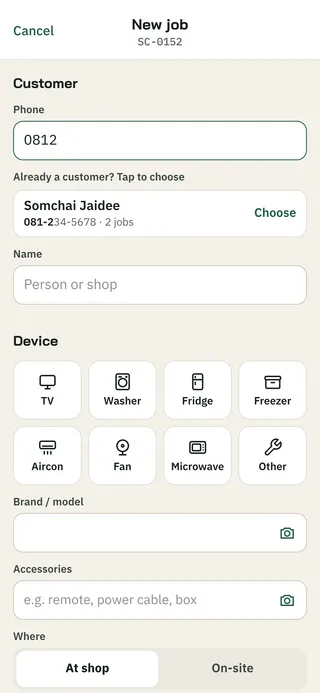
1. Find the customer
Four digits of their phone number are enough.
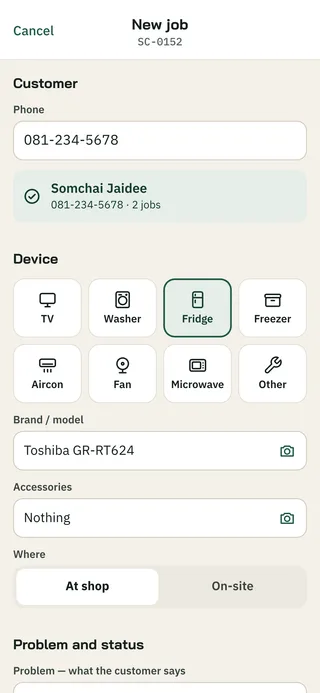
2. New job
Typed in once. Every change after is a new line in the job’s log.
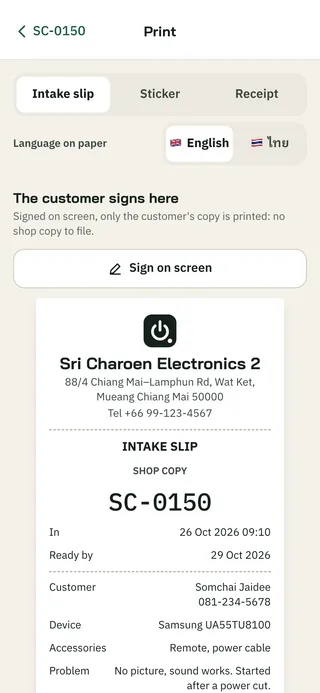
3. Intake slip
One copy for the shop, one for the customer with a QR code to follow the repair.
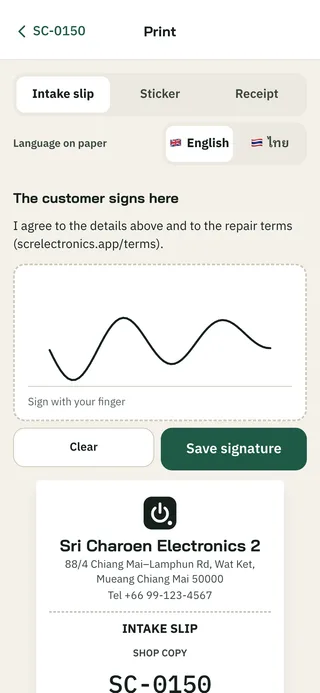
4. Signed on screen
The customer signs with a finger.
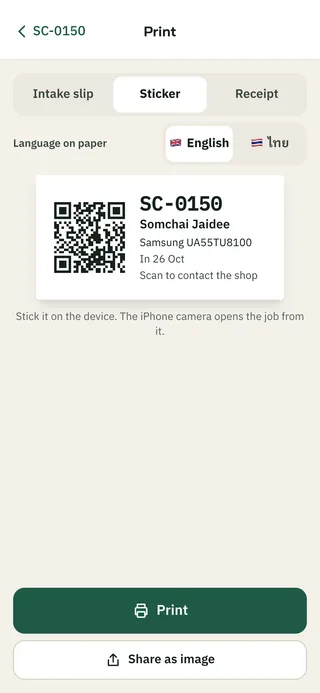
5. Sticker
The QR code on the device opens the job for staff.
Keep the customer posted
Each repair has a private link for the customer.
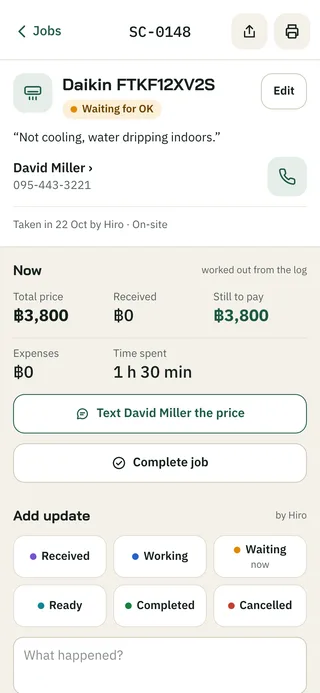
1. The job
What was handed in, the work so far, photos and the log.
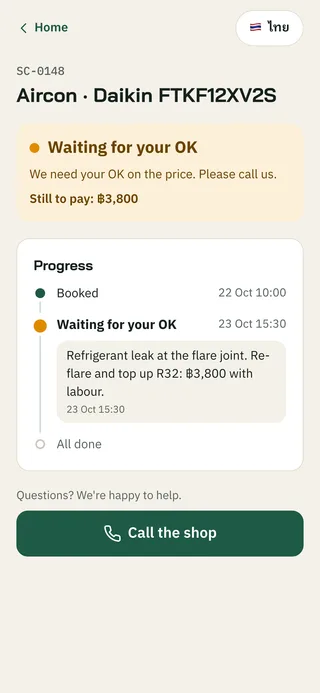
2. Waiting for the customer’s OK
Where it stands, the price, and the notes staff chose to share.
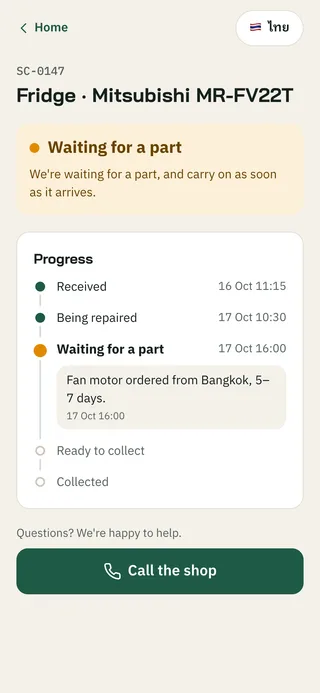
3. Waiting for a part
The link never shows a name, phone number or internal note.
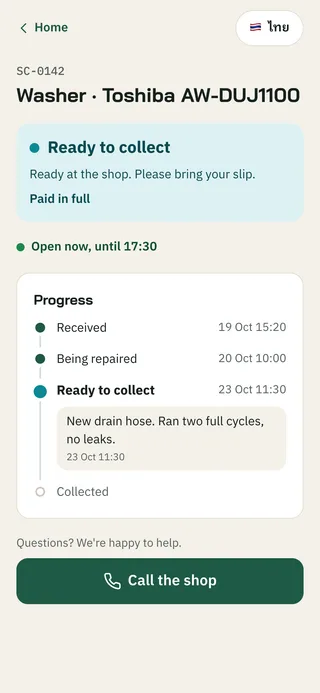
4. Ready to collect
Paid, and when the shop is open.
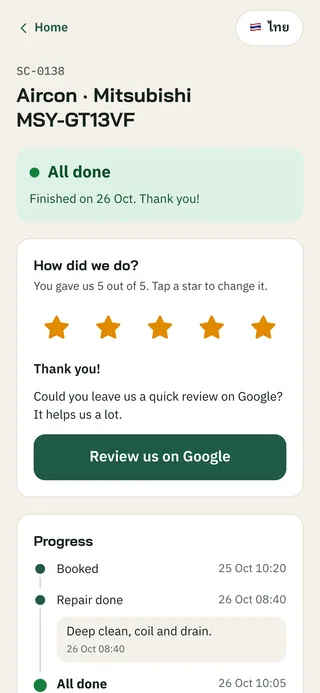
5. Rate the repair
One tap on a star after pickup.
Complete and get paid
From ready to paid, then counted in the day’s numbers.
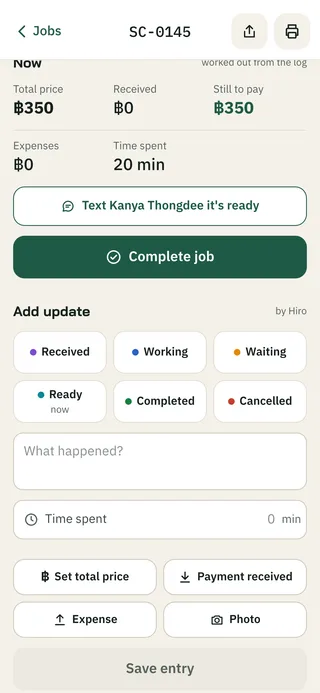
1. Tell the customer
One tap writes the message: the device, what’s left to pay and the opening hours.
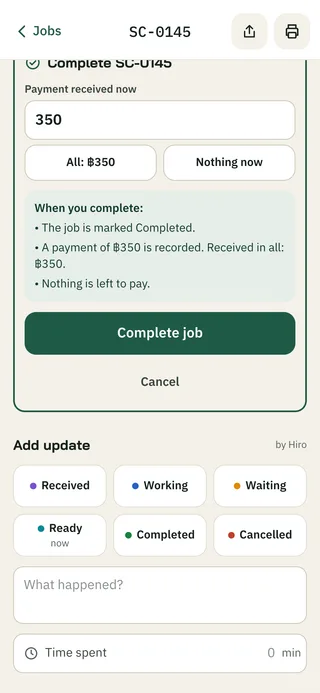
2. Complete the job
The payment is already filled in.
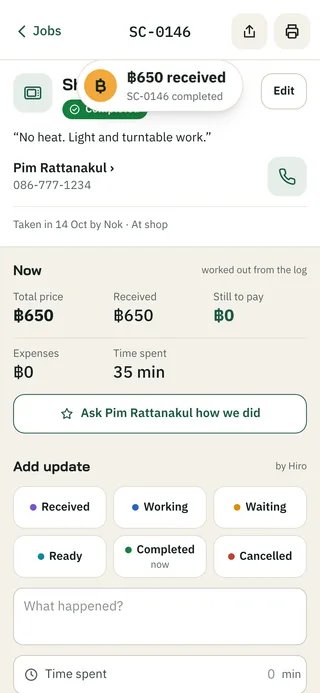
3. Money in
A small coin and two quiet bells. Gone in 2 seconds.
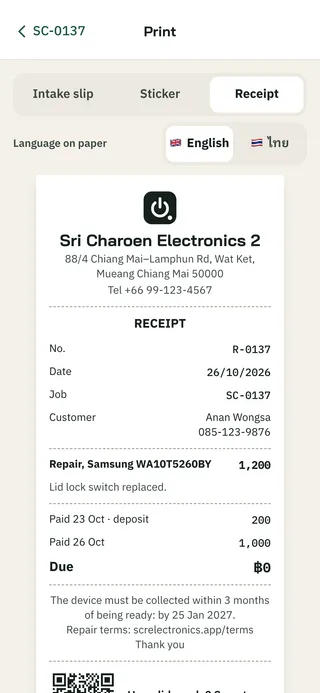
4. Receipt
Every amount comes from the log.
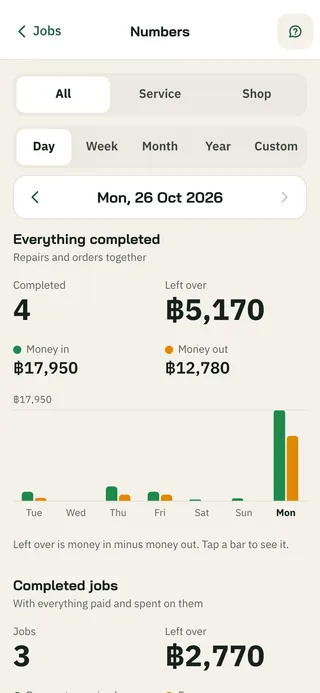
5. Today’s numbers
Money in and out, and what’s left over.
List it, sell it
AI suggests the details, a buyer orders, the shop calls and hands it over.
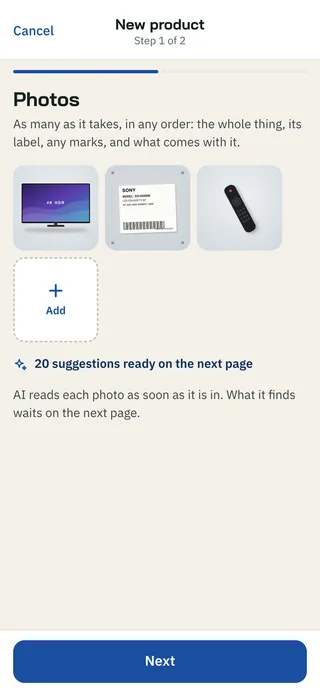
1. Add photos
AI reads them and looks up the model’s specs.
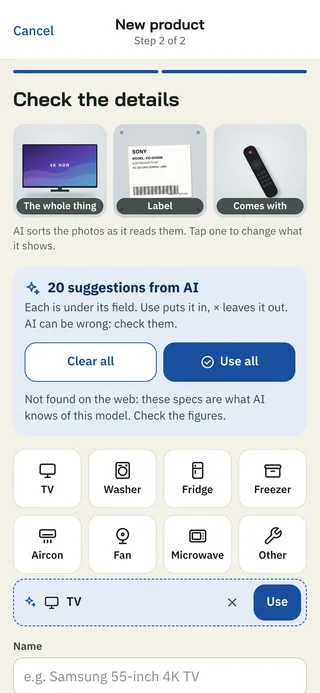
2. Check the details
Each suggestion waits under its field until someone uses it.
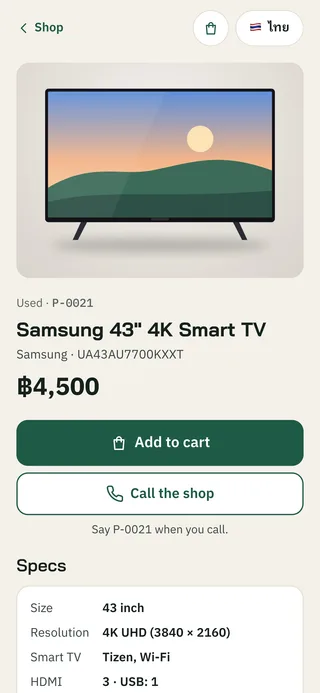
3. The product page
Photos, the price and Add to cart.
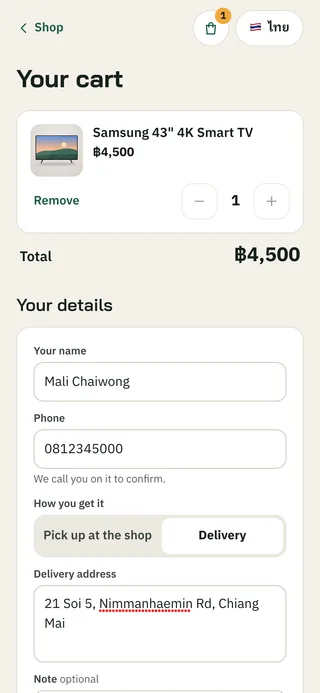
4. The cart
Prices and stock are checked each time.
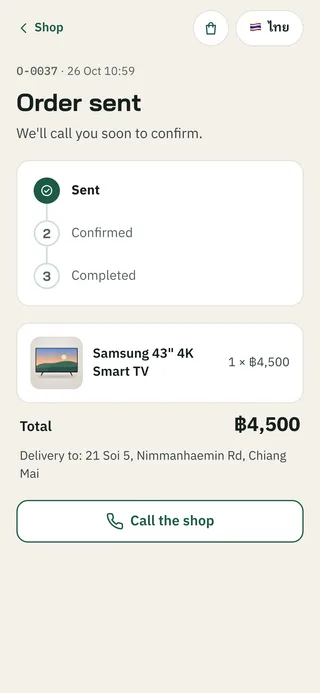
5. Order sent
A private page shows where the order stands.
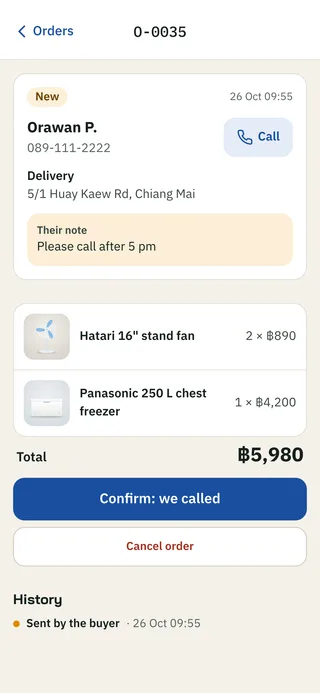
6. The order
Call the buyer, confirm, then complete when it’s handed over.
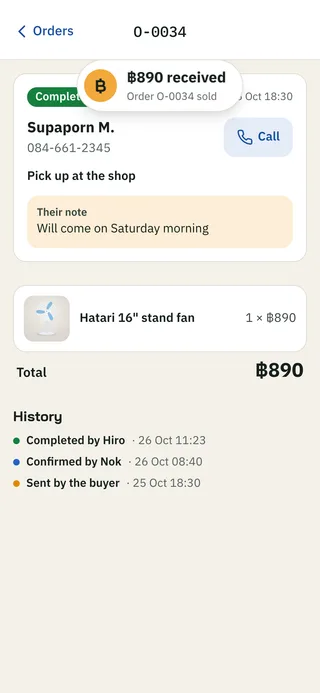
7. Sold
The stock goes down by itself.
Questions in two languages
Asked in one language, answered in the other.
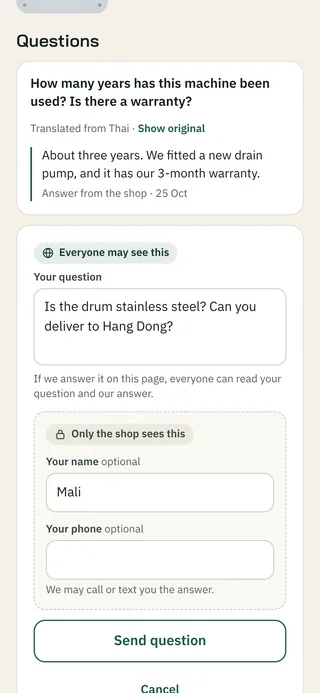
1. Ask a question
Only the shop sees the name and phone number.
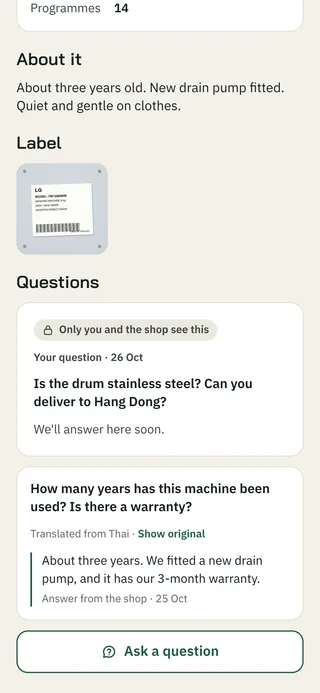
2. Waiting for an answer
The shop gets an alert.
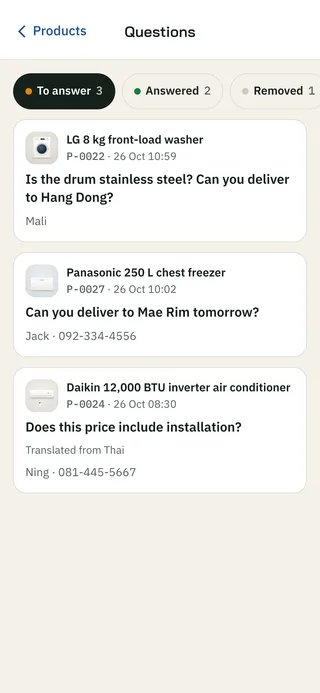
3. Questions
All questions from the product pages.
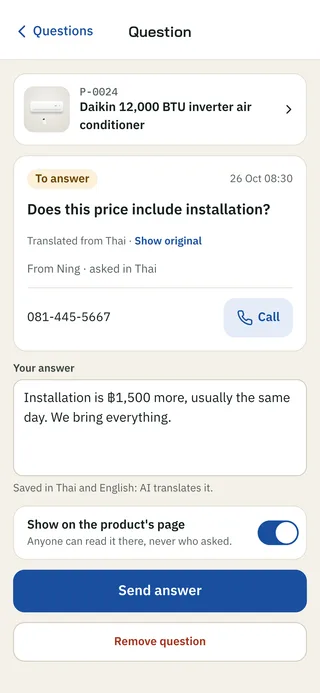
4. Answer
Shown to everyone, or only to whoever asked.
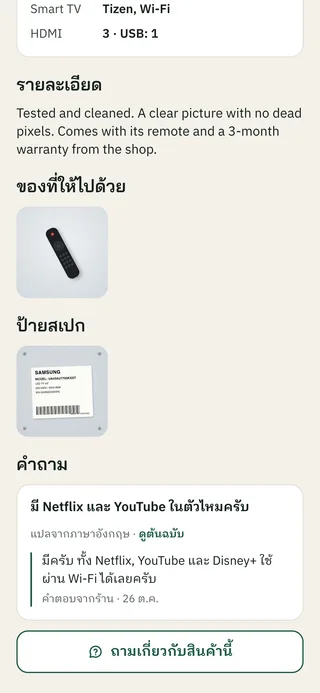
5. In Thai
AI translates each question and answer as it’s saved.
Alerts
On every staff iPhone, in each person’s language.
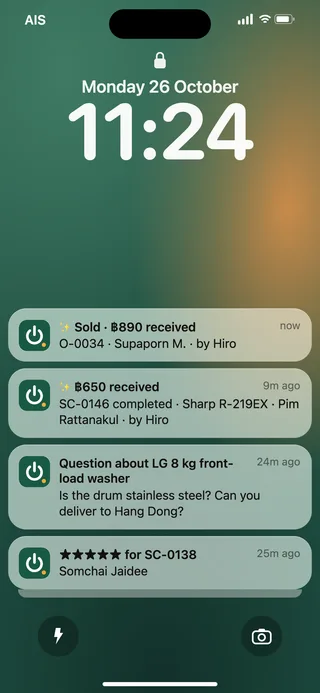
1. Lock screen
A sale, a question, money in or a rating.
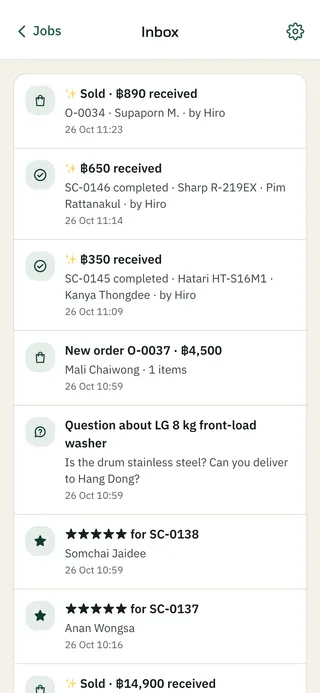
2. Inbox
Every alert, newest first.
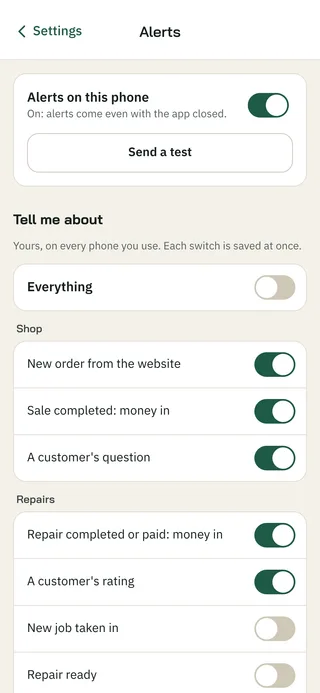
3. Settings
Each person picks the alerts they want.
A new phone
Signed in with a one-time code.
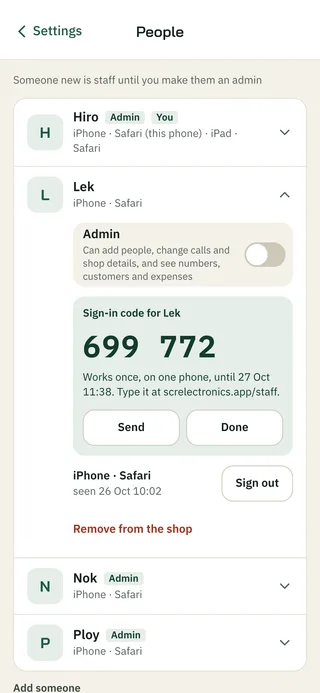
1. Make a code
Works once, for 24 hours.
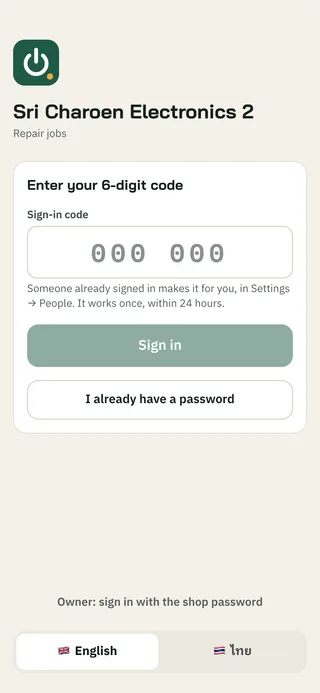
2. Type it in
On the new phone.
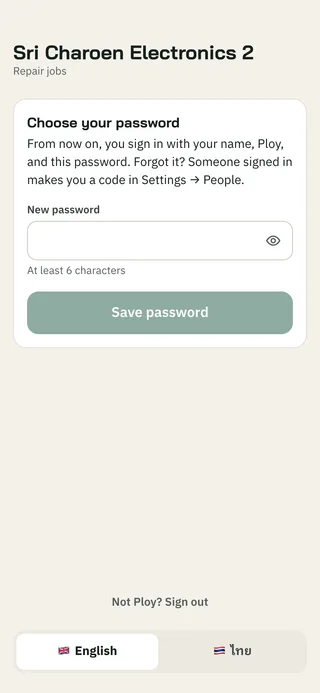
3. Choose a password
Their own, before anything else.
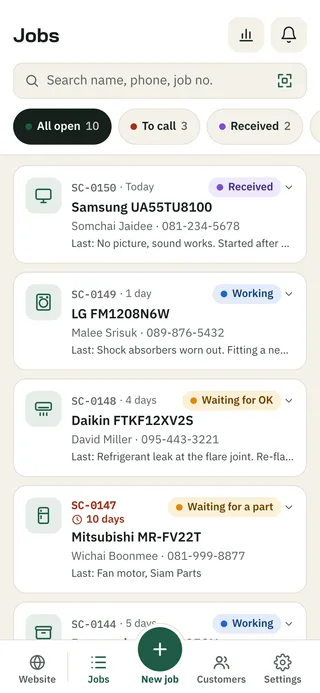
4. Jobs
Every open job, newest first.
Built with
100 commits, 436 tests and 35 migrations in 7 days
React, TypeScript, Vite and Tailwind, as an installable web app (PWA)
One Cloudflare Worker with D1, R2 and Workers AI
Web Push, written without a library
The screenshots are from the app, with a demo shop. The staff, customers and products are made up.
About me
Background, education and where I work